> ## Documentation Index
> Fetch the complete documentation index at: https://www.anything.com/docs/llms.txt
> Use this file to discover all available pages before exploring further.
# Beer & Brewery Data
> Access comprehensive beer and brewery data
Beer API provides detailed information about beers, breweries, and brewing processes through RapidAPI.
## Overview
Sign up for a RapidAPI account
Subscribe to Beer API and get your key
Add your API key to Anything's secrets
## Account Creation
Go to [rapidapi.com](https://rapidapi.com/) and click "Sign Up"
 * Go to [https://rapidapi.com/winevybe/api/beer9/pricing](https://rapidapi.com/winevybe/api/beer9/pricing)
* Select a subscription plan
* Complete the subscription process
## Generate API Key
1. Log in to your RapidAPI account
2. Navigate to the Beer API page
* Go to [https://rapidapi.com/winevybe/api/beer9/pricing](https://rapidapi.com/winevybe/api/beer9/pricing)
* Select a subscription plan
* Complete the subscription process
## Generate API Key
1. Log in to your RapidAPI account
2. Navigate to the Beer API page
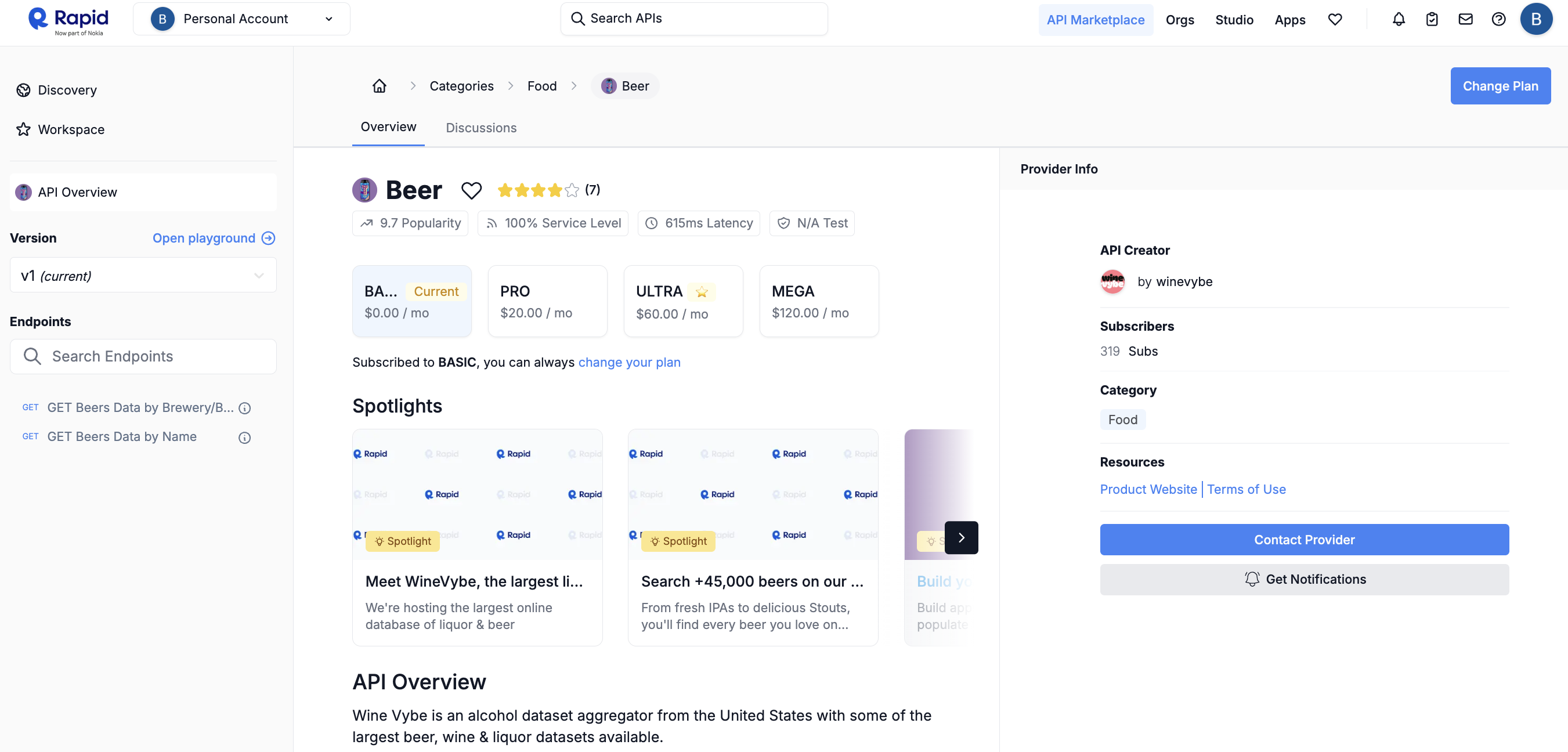 1. Subscribe to the API if you haven't already
2. Copy your RapidAPI key from the endpoint examples
1. Subscribe to the API if you haven't already
2. Copy your RapidAPI key from the endpoint examples
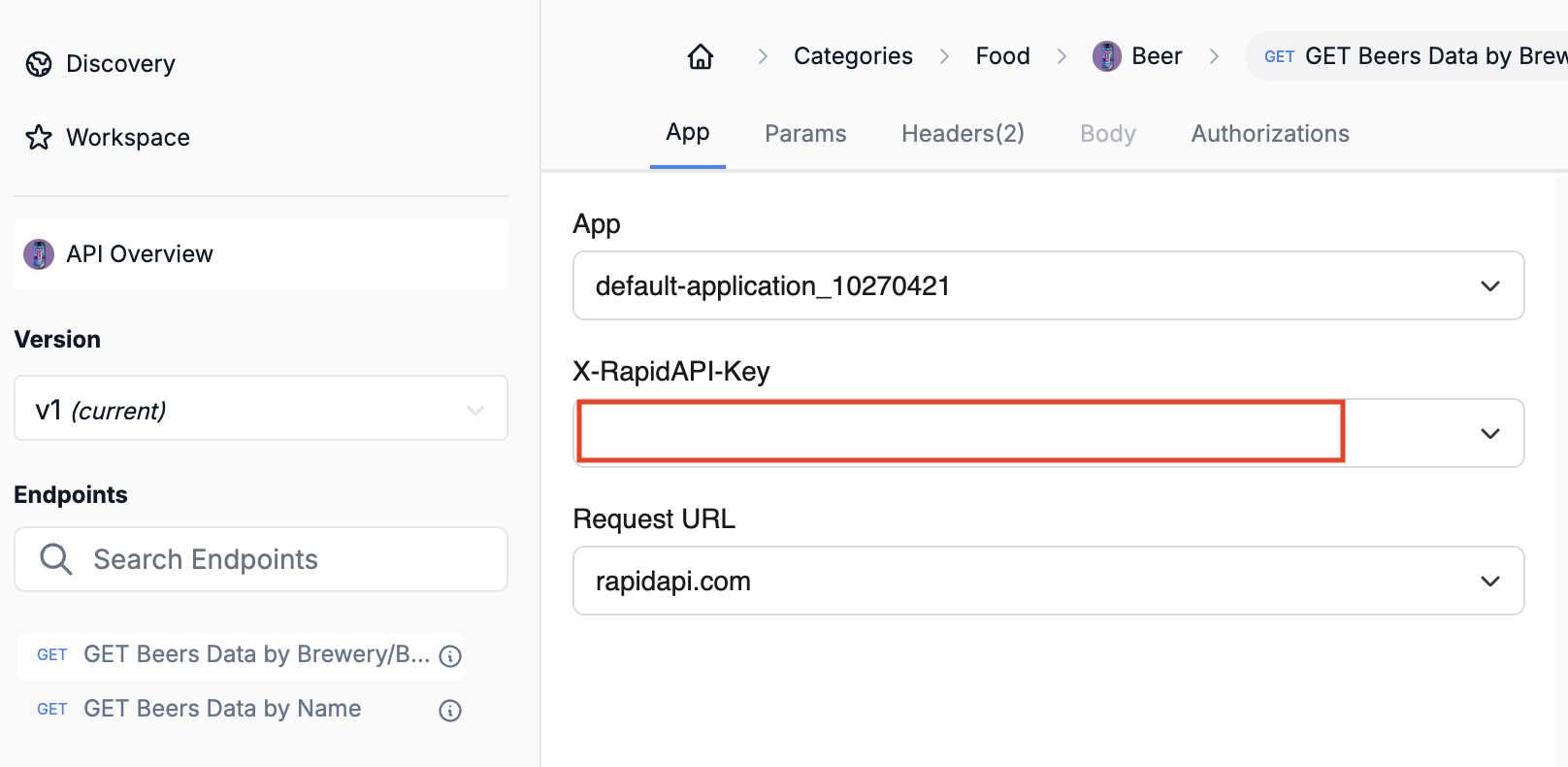 1. Store your API key safely
Keep your API key secure - it grants access to all your RapidAPI subscriptions
## Add to Anything project
1. In your Anything project, type `/` in the chat
2. Select "Beer API" from the menu
1. Paste your RapidAPI key into the "RAPID\_API\_KEY" field
Need a new key? Find it in your RapidAPI dashboard.
You can now use prompts with the integration to access beer data.
Some examples:
* `Search for beers by name using /BeerAPI`
* `Get brewery information with /BeerAPI`
* `Build a beer recommendation app using /BeerAPI`
The API has rate limits based on your plan. Avoid making too many requests in a short time.
Example prompt for optimization:
```
When using /BeerAPI, save the beer data so it loads faster next time
```
Your Beer API integration is now ready! Use the `/BeerAPI` command in chat to access beer and brewery data.
1. Store your API key safely
Keep your API key secure - it grants access to all your RapidAPI subscriptions
## Add to Anything project
1. In your Anything project, type `/` in the chat
2. Select "Beer API" from the menu
1. Paste your RapidAPI key into the "RAPID\_API\_KEY" field
Need a new key? Find it in your RapidAPI dashboard.
You can now use prompts with the integration to access beer data.
Some examples:
* `Search for beers by name using /BeerAPI`
* `Get brewery information with /BeerAPI`
* `Build a beer recommendation app using /BeerAPI`
The API has rate limits based on your plan. Avoid making too many requests in a short time.
Example prompt for optimization:
```
When using /BeerAPI, save the beer data so it loads faster next time
```
Your Beer API integration is now ready! Use the `/BeerAPI` command in chat to access beer and brewery data.