> ## Documentation Index
> Fetch the complete documentation index at: https://www.anything.com/docs/llms.txt
> Use this file to discover all available pages before exploring further.
# HeyGen
> Create AI-powered video content
HeyGen API enables creation of professional AI-generated video content with customizable avatars and voices.
## Overview
Sign up for a HeyGen account
Generate your HeyGen API key
Add your API key to Anything's secrets
## Account Creation
Go to [heygen.com](https://heygen.com/) and click "Sign Up"
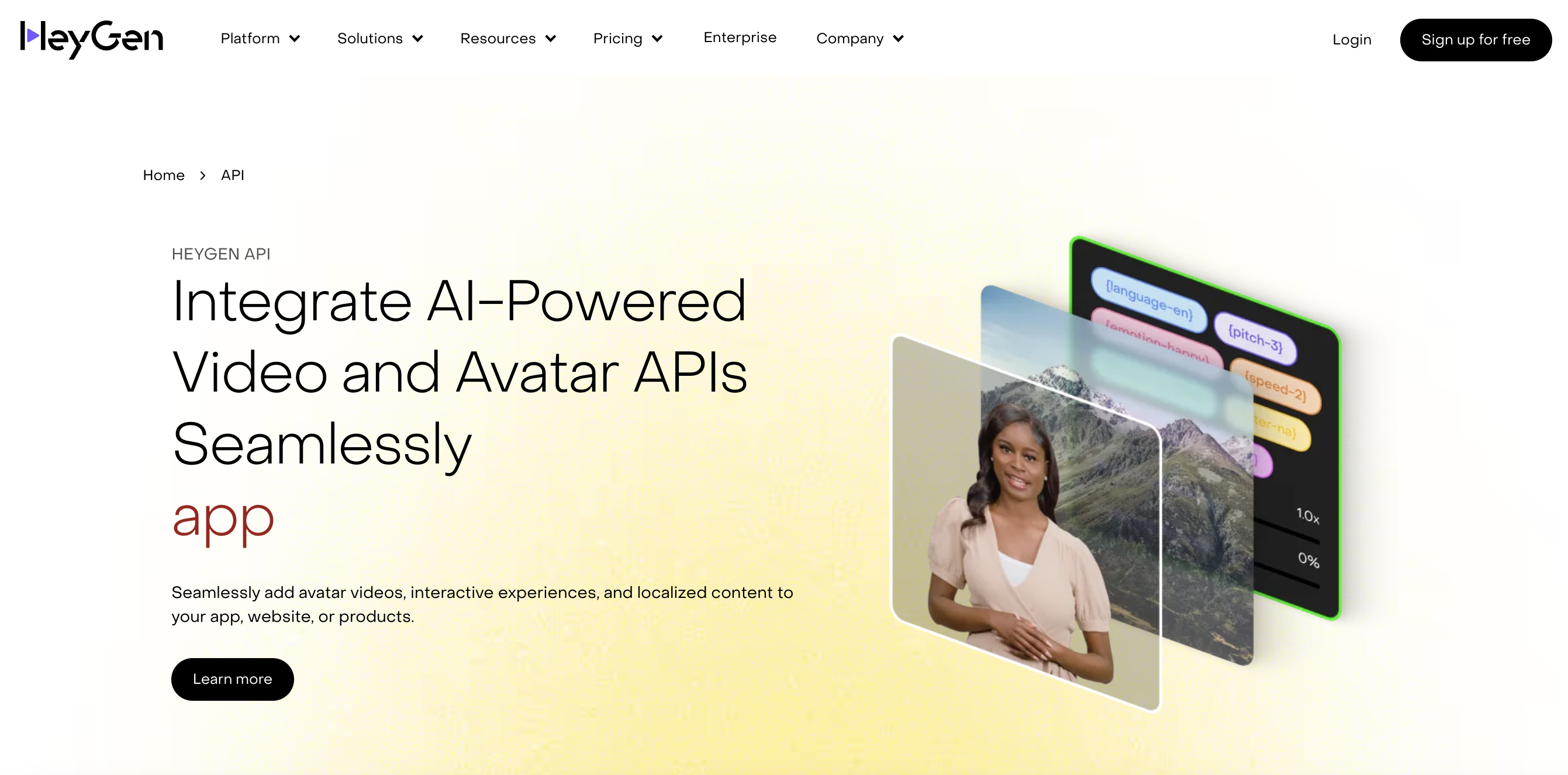 * Sign up with email/password
* Or continue with Google authentication
* Sign up with email/password
* Or continue with Google authentication
 ## Generate API Key
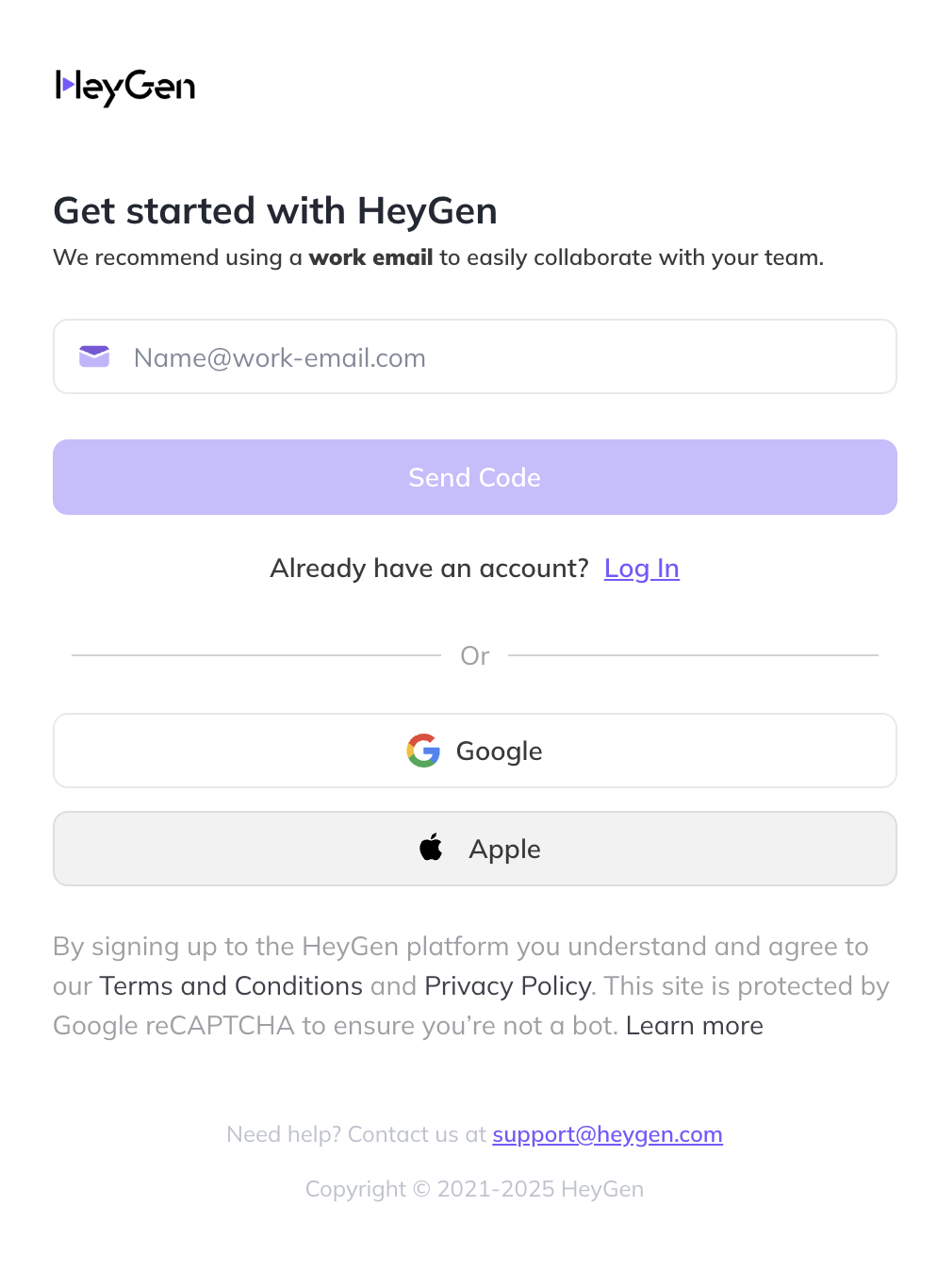
1. Go to your HeyGen dashboard
2. Navigate to "API Settings"
## Generate API Key
1. Go to your HeyGen dashboard
2. Navigate to "API Settings"
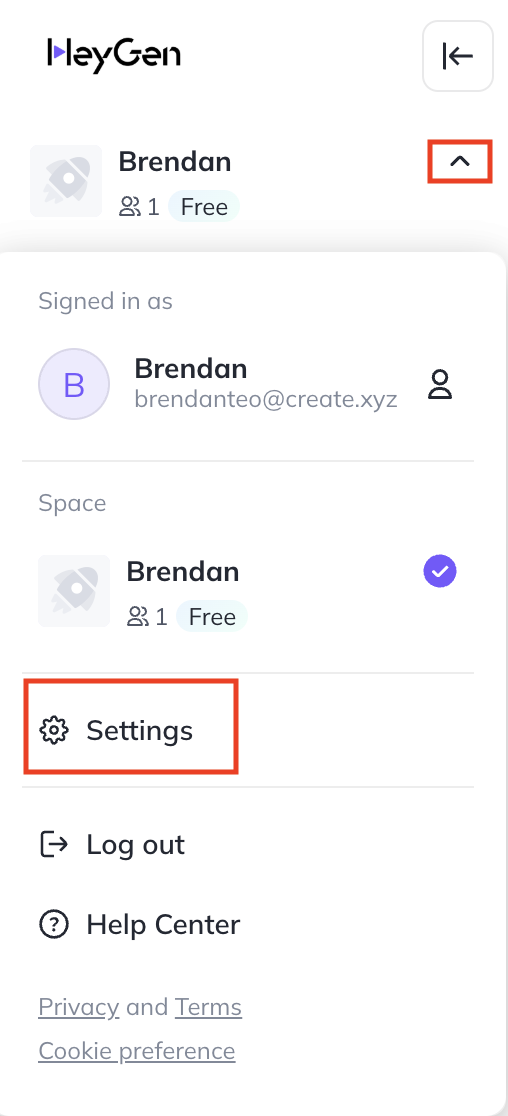 Free tier has rate limits - monitor your usage
1. Click "Generate API Key"
2. Name your key (e.g., "Anything Integration")
3. Copy your API key
Free tier has rate limits - monitor your usage
1. Click "Generate API Key"
2. Name your key (e.g., "Anything Integration")
3. Copy your API key
 1. Go to "Avatar Library" in your dashboard
2. Select the avatar you want to use as a template
3. Copy the Avatar ID from the URL or settings
1. Go to "Avatar Library" in your dashboard
2. Select the avatar you want to use as a template
3. Copy the Avatar ID from the URL or settings
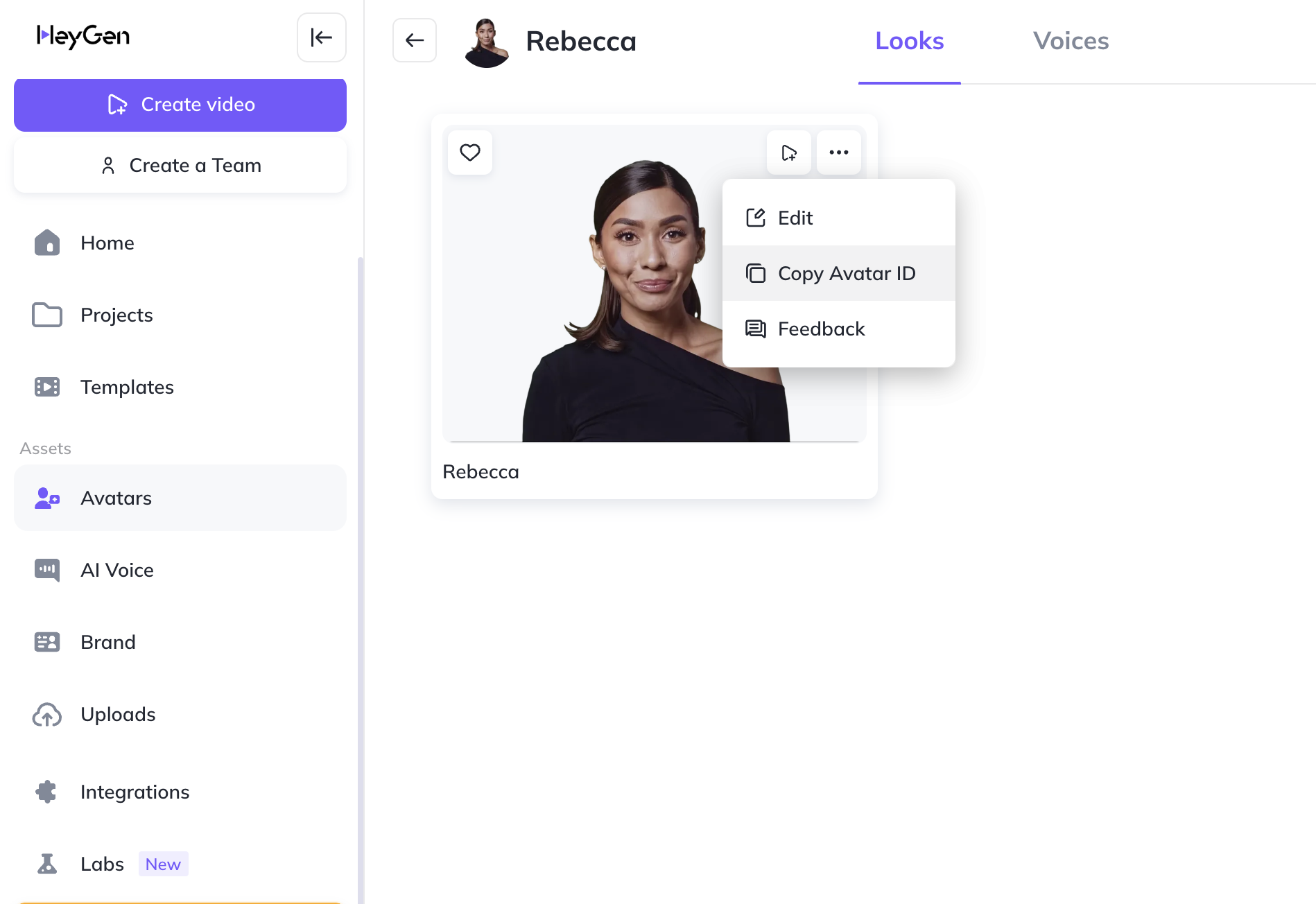 Be sure to get the Avatar ID and not the Avatar Group ID. Sometimes Avatars have
different versions and so they are placed in a group.
1. Go to "AI Voice Library" in your dashboard
2. Select the voice you want to use as a template
3. Copy the Voice ID from the URL or settings
Be sure to get the Avatar ID and not the Avatar Group ID. Sometimes Avatars have
different versions and so they are placed in a group.
1. Go to "AI Voice Library" in your dashboard
2. Select the voice you want to use as a template
3. Copy the Voice ID from the URL or settings
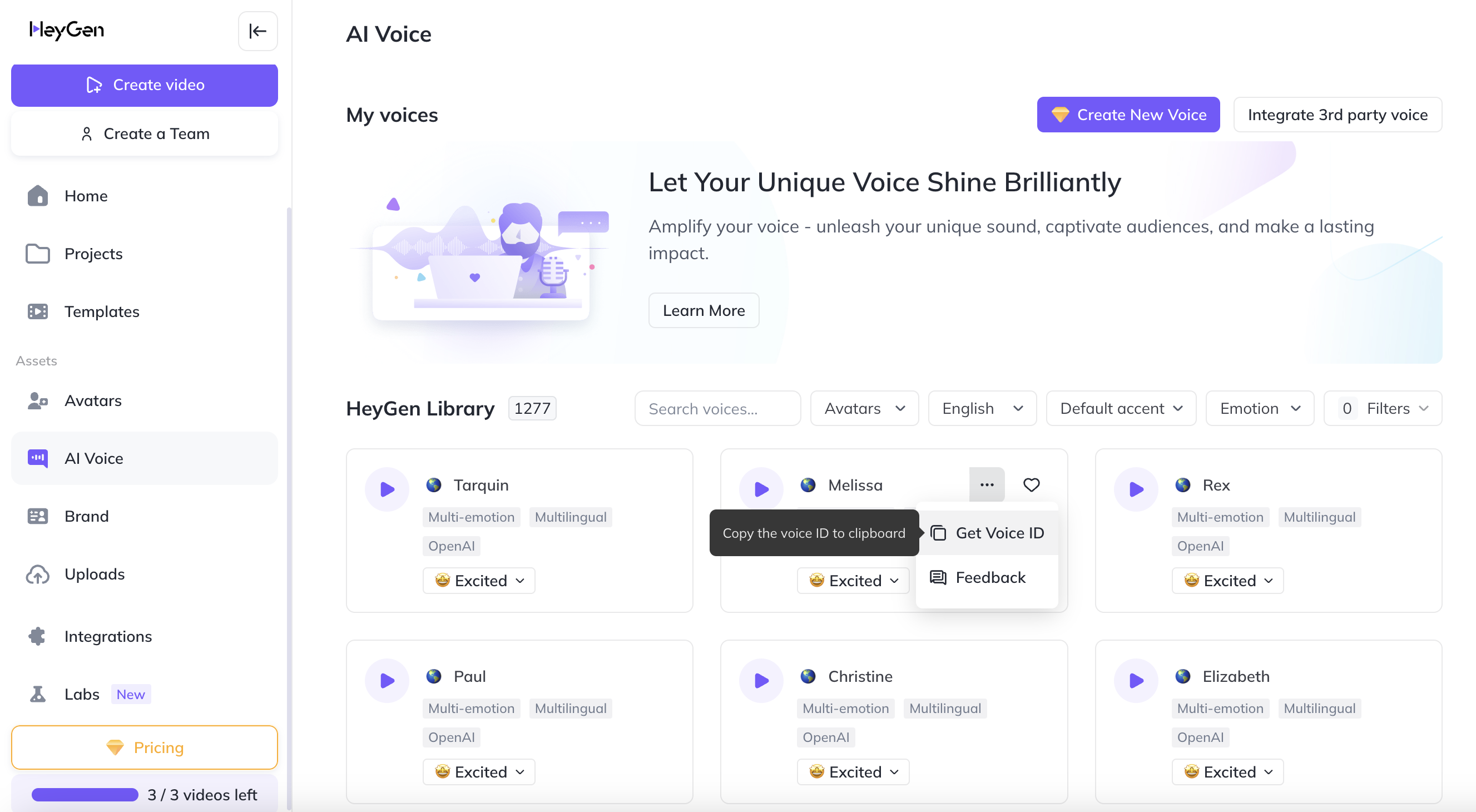 The Voice ID is needed to generate videos with specific voices
## Add to Anything project
1. In your Anything project, type `/` in the chat
2. Select "HeyGen" from the menu
1. Paste your API key into the "HEYGEN\_API\_KEY" field
Need a new key? Generate one in your HeyGen dashboard.
You can now use prompts with the integration to create AI videos.
Example prompts:
* `Generate a video presentation using /HeyGen`
* `Create an AI spokesperson with /HeyGen`
* `Build a video message system using /HeyGen`
The API limits how often your app can fetch data. If your app loads the same data often, ask the agent to save it locally so it doesn't re-fetch every time.
Example prompt for optimization:
```
When using /HeyGen, save the generated videos so my app doesn't have to fetch them again
```
Your HeyGen integration is ready! Use `/HeyGen` in chat to create AI videos.
The Voice ID is needed to generate videos with specific voices
## Add to Anything project
1. In your Anything project, type `/` in the chat
2. Select "HeyGen" from the menu
1. Paste your API key into the "HEYGEN\_API\_KEY" field
Need a new key? Generate one in your HeyGen dashboard.
You can now use prompts with the integration to create AI videos.
Example prompts:
* `Generate a video presentation using /HeyGen`
* `Create an AI spokesperson with /HeyGen`
* `Build a video message system using /HeyGen`
The API limits how often your app can fetch data. If your app loads the same data often, ask the agent to save it locally so it doesn't re-fetch every time.
Example prompt for optimization:
```
When using /HeyGen, save the generated videos so my app doesn't have to fetch them again
```
Your HeyGen integration is ready! Use `/HeyGen` in chat to create AI videos.