> ## Documentation Index
> Fetch the complete documentation index at: https://www.anything.com/docs/llms.txt
> Use this file to discover all available pages before exploring further.
# Ideogram
> Generate AI art and illustrations
Ideogram API enables creation of high-quality AI-generated art and illustrations with advanced style control.
Ideogram requires a minimum balance. Please read the pricing [here](https://about.ideogram.ai/api-pricing).
## Overview
Sign up for an Ideogram account
Generate your Ideogram API key
Add your API key to Anything's secrets
## Account Creation
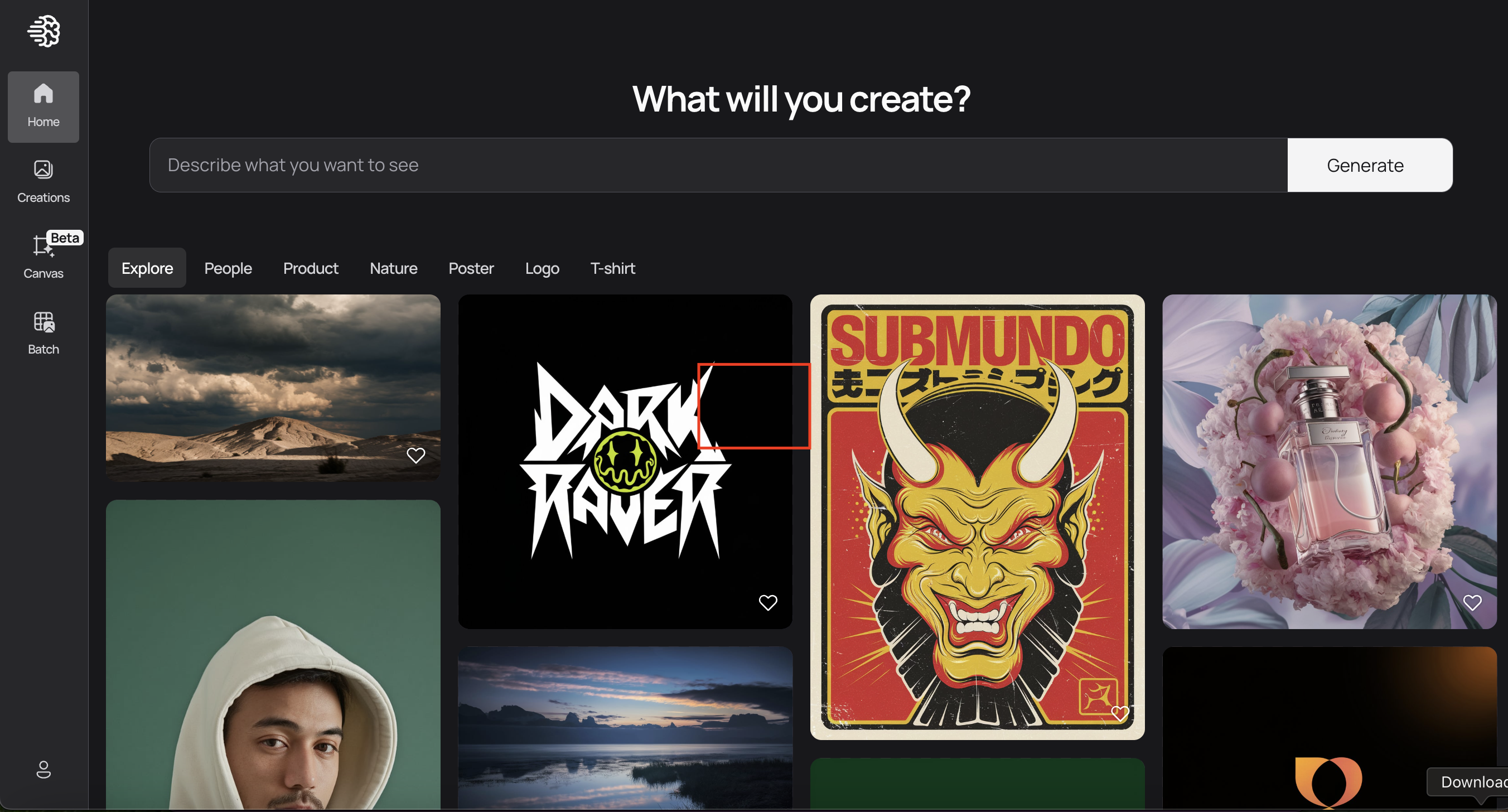
Go to [ideogram.ai](https://ideogram.ai/) and click "Sign Up"
 * Sign up with email/password
* Or continue with Google authentication
## Generate API Key
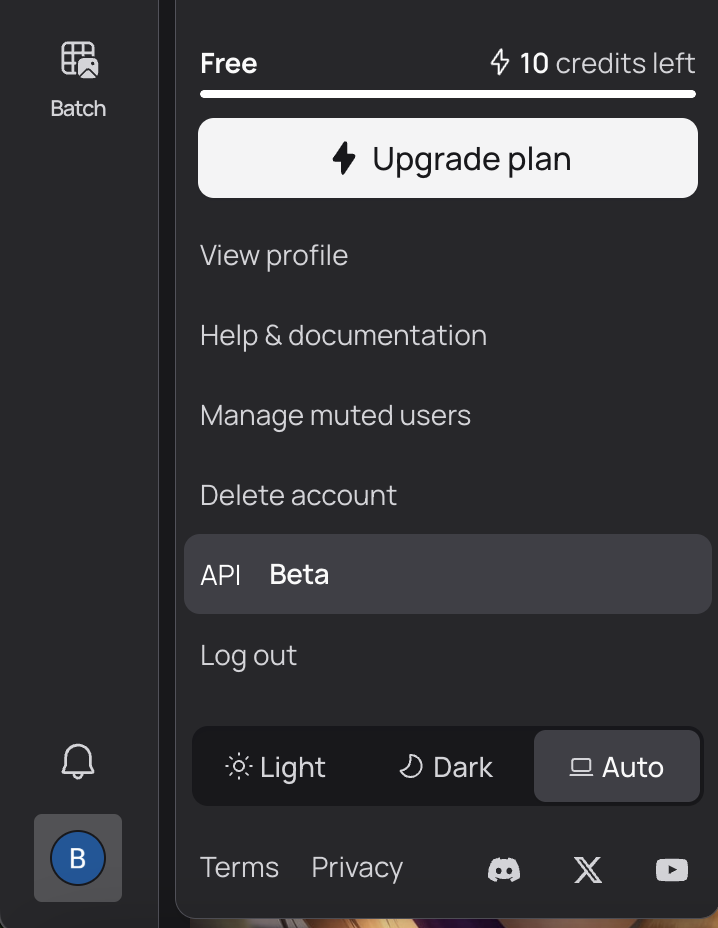
1. Go to your Ideogram dashboard
2. Navigate to "API Beta" in settings
* Sign up with email/password
* Or continue with Google authentication
## Generate API Key
1. Go to your Ideogram dashboard
2. Navigate to "API Beta" in settings
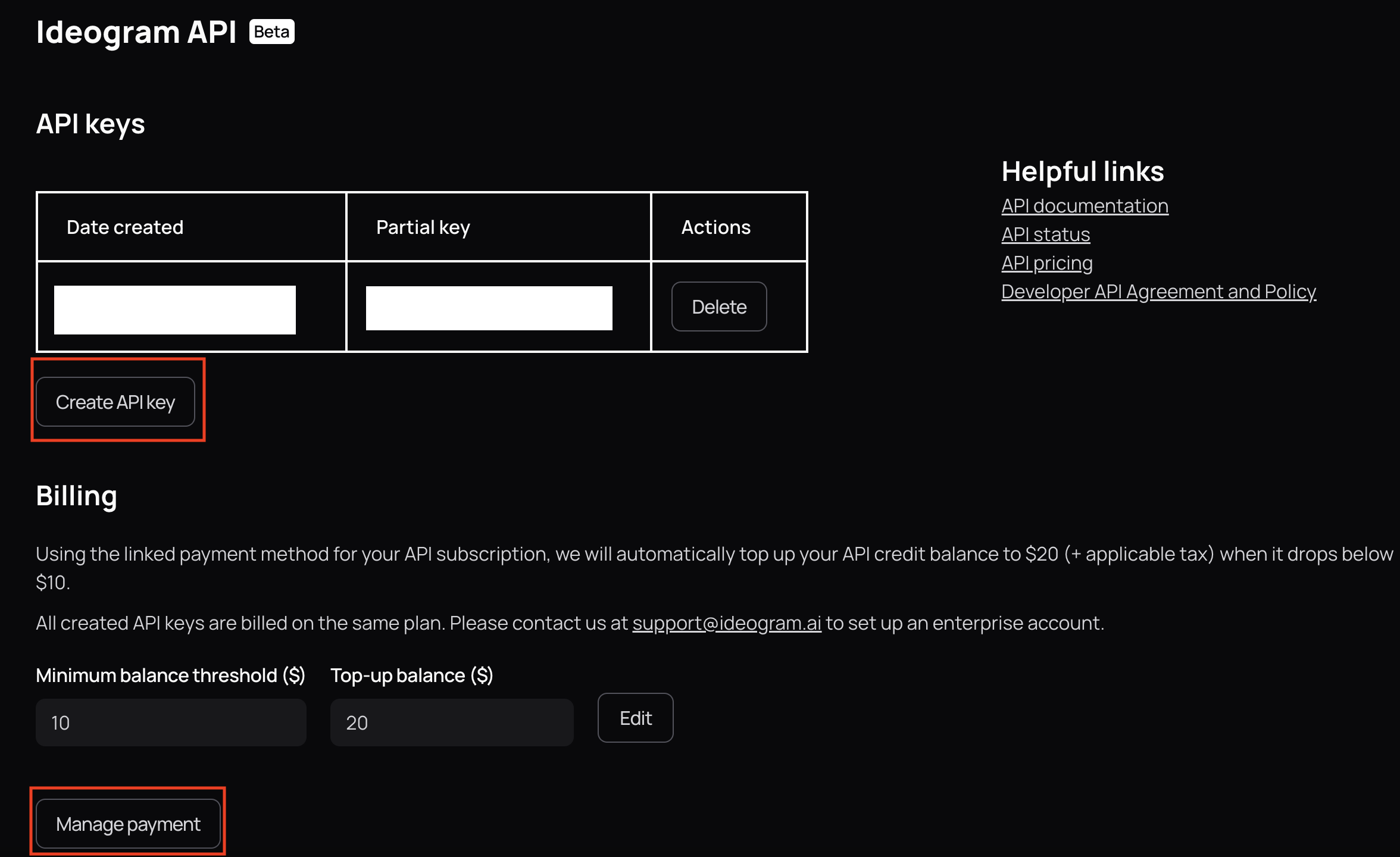
 1. Click "Generate New API Key"
2. Name your key (e.g., "Anything Integration")
3. Copy your API key
1. Click "Generate New API Key"
2. Name your key (e.g., "Anything Integration")
3. Copy your API key
 ## Add to Anything project
1. In your Anything project, type `/` in the chat
2. Select "Ideogram" from the menu
1. Paste your API key into the "IDEOGRAM\_API\_KEY" field
Need a new key? Generate one in your Ideogram dashboard.
You can now use prompts with the integration to generate art.
Example prompts:
* `Generate an illustration using /Ideogram`
* `Create a logo design with /Ideogram`
* `Build an AI art gallery using /Ideogram`
The API limits how often your app can fetch data. If your app loads the same data often, ask the agent to save it locally so it doesn't re-fetch every time.
Example prompt for optimization:
```
When using /Ideogram, save the generated images so my app doesn't have to fetch it again
```
Your Ideogram integration is ready! Use `/Ideogram` in chat to create AI art.
## Add to Anything project
1. In your Anything project, type `/` in the chat
2. Select "Ideogram" from the menu
1. Paste your API key into the "IDEOGRAM\_API\_KEY" field
Need a new key? Generate one in your Ideogram dashboard.
You can now use prompts with the integration to generate art.
Example prompts:
* `Generate an illustration using /Ideogram`
* `Create a logo design with /Ideogram`
* `Build an AI art gallery using /Ideogram`
The API limits how often your app can fetch data. If your app loads the same data often, ask the agent to save it locally so it doesn't re-fetch every time.
Example prompt for optimization:
```
When using /Ideogram, save the generated images so my app doesn't have to fetch it again
```
Your Ideogram integration is ready! Use `/Ideogram` in chat to create AI art.