> ## Documentation Index
> Fetch the complete documentation index at: https://www.anything.com/docs/llms.txt
> Use this file to discover all available pages before exploring further.
# Judge0 CE
> Execute code in various programming languages
Judge0 CE (Community Edition) API allows you to compile and execute code in multiple programming languages, making it perfect for building coding platforms and educational tools.
## Overview
Sign up for a Judge0 CE account
Generate your Judge0 CE API key
Add your API key to Anything's secrets
## Account Creation
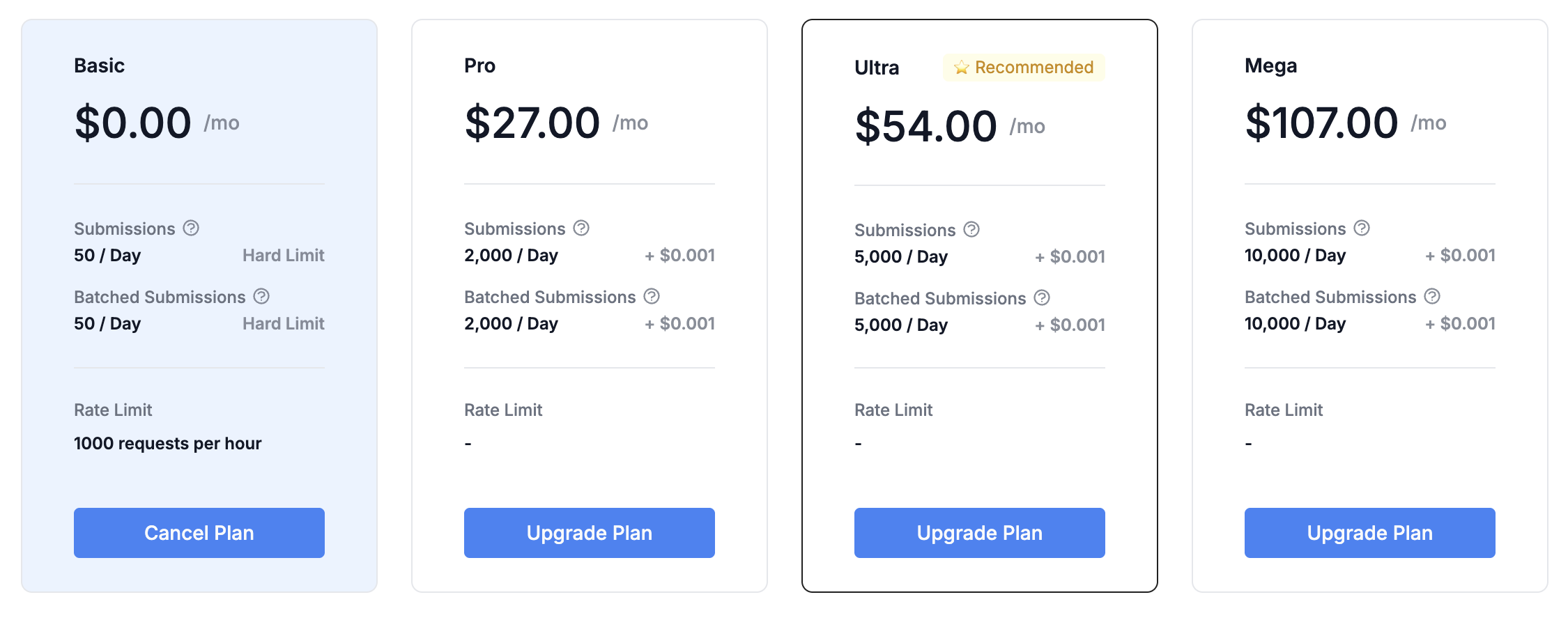
Go to [https://rapidapi.com/judge0-official/api/judge0-ce/pricing](https://rapidapi.com/judge0-official/api/judge0-ce/pricing) and select the pricing plan you want.
 * Fill in your name, email, and password
* Select your usage purpose
* Accept the terms of service
## Generate API Key
1. Log in to your RapidAPI account
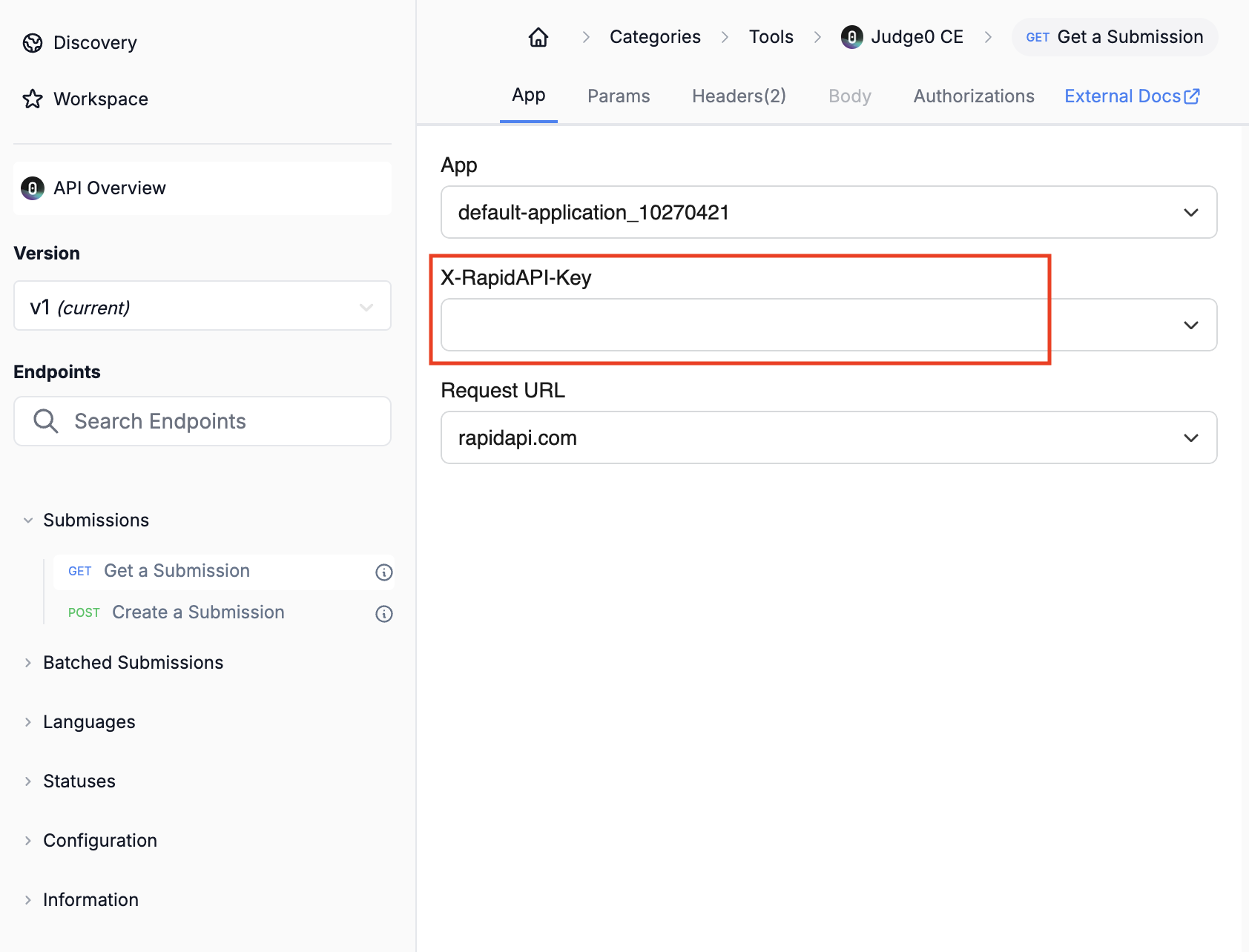
2. Navigate to the "API" section at [https://rapidapi.com/judge0-official/api/judge0-ce/](https://rapidapi.com/judge0-official/api/judge0-ce/)
1. Select any endpoints in the left column.
2. Copy the API Key.
3. Store it securely for use in your applications.
* Fill in your name, email, and password
* Select your usage purpose
* Accept the terms of service
## Generate API Key
1. Log in to your RapidAPI account
2. Navigate to the "API" section at [https://rapidapi.com/judge0-official/api/judge0-ce/](https://rapidapi.com/judge0-official/api/judge0-ce/)
1. Select any endpoints in the left column.
2. Copy the API Key.
3. Store it securely for use in your applications.
 Keep your API key secure - it grants access to your Rundown account and quota
## Add to Anything project
1. In your Anything project, type `/` in the chat
2. Select "Judge0 CE" from the menu
1. Paste your API key into the "RAPID\_API\_KEY" field
Need a new key? Generate one in your Judge0 CE dashboard.
You can now use prompts with the integration to execute code.
Some examples:
* `Run this Python code using /Judge0CE`
* `Build a coding challenge platform with /Judge0CE`
* `Build an online code editor using /Judge0CE`
The API has time limits on how long code can run. Keep your scripts short.
Example prompt for optimization:
```
When using /Judge0CE, show clear error messages if the code fails to run
```
Your Judge0 CE integration is now ready! Use the `/Judge0CE` command in chat to execute code.
Keep your API key secure - it grants access to your Rundown account and quota
## Add to Anything project
1. In your Anything project, type `/` in the chat
2. Select "Judge0 CE" from the menu
1. Paste your API key into the "RAPID\_API\_KEY" field
Need a new key? Generate one in your Judge0 CE dashboard.
You can now use prompts with the integration to execute code.
Some examples:
* `Run this Python code using /Judge0CE`
* `Build a coding challenge platform with /Judge0CE`
* `Build an online code editor using /Judge0CE`
The API has time limits on how long code can run. Keep your scripts short.
Example prompt for optimization:
```
When using /Judge0CE, show clear error messages if the code fails to run
```
Your Judge0 CE integration is now ready! Use the `/Judge0CE` command in chat to execute code.