> ## Documentation Index
> Fetch the complete documentation index at: https://www.anything.com/docs/llms.txt
> Use this file to discover all available pages before exploring further.
# SFMTA
> Access San Francisco transit data
SFMTA (San Francisco Municipal Transportation Agency) API provides access to real-time transit data, schedules, and route information for San Francisco's public transportation system.
## Overview
Sign up for an SFMTA developer account
Generate your SFMTA API key
Add your API key to Anything's secrets
## Account Creation
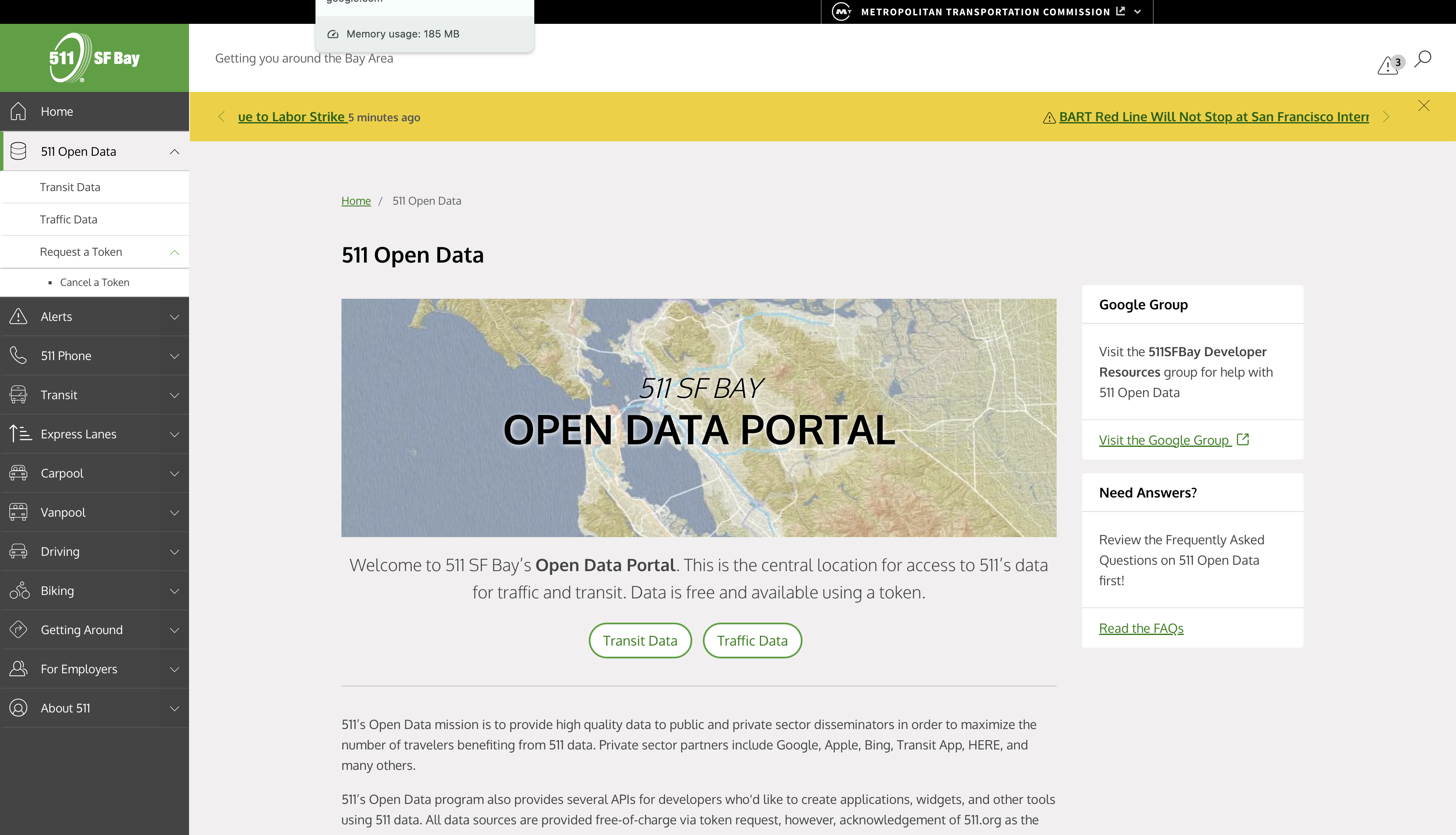
Go to [https://511.org/open-data](https://511.org/open-data) and click "Request a Token"
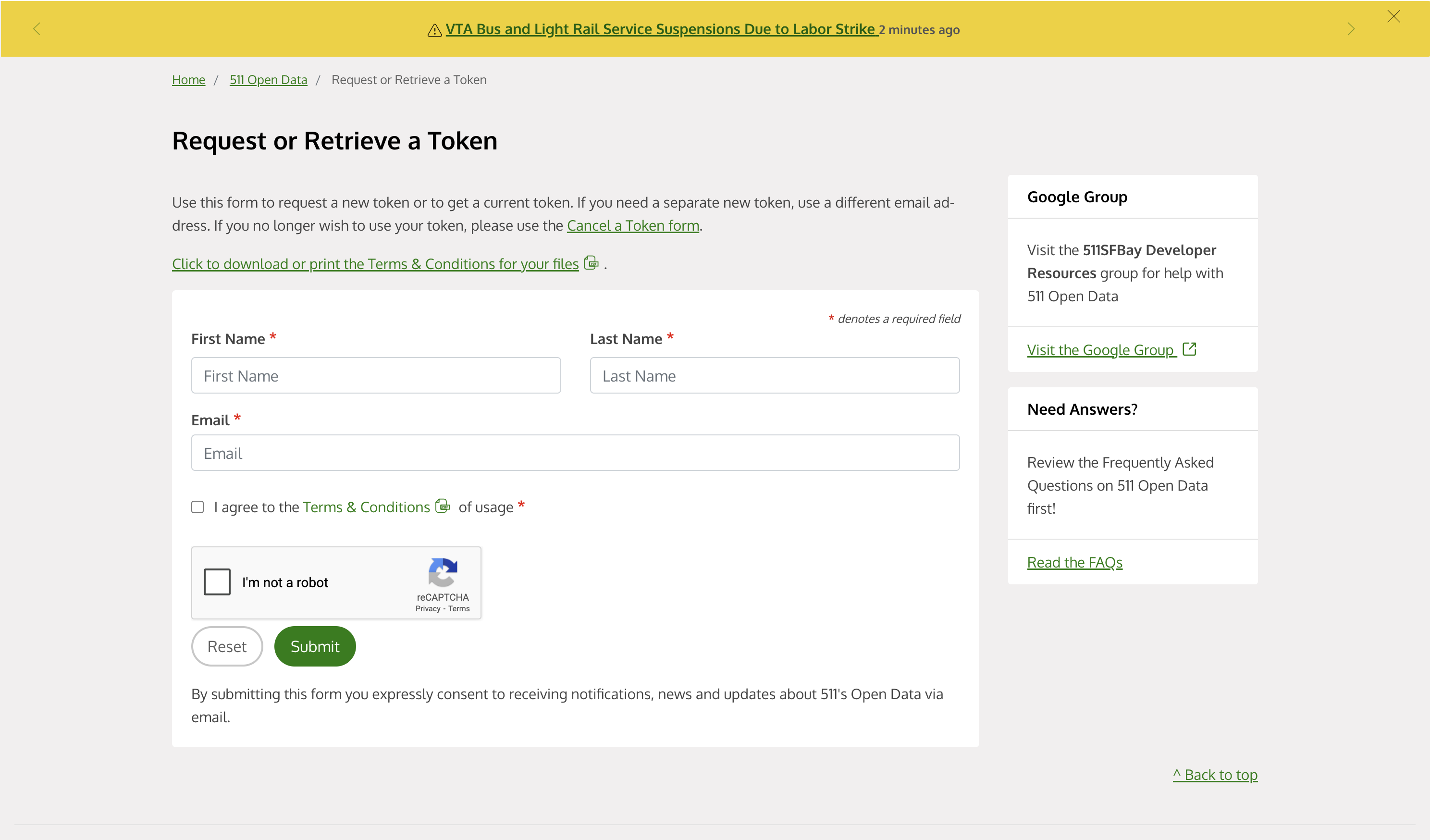
 * Fill in your developer information
* Describe your intended API usage
* Complete the verification process
* Fill in your developer information
* Describe your intended API usage
* Complete the verification process
 ## Generate API Key
1. The requested token will be found in the sent email
2. Copy the token found in the email
Keep your API key secure - it grants access to your SFMTA API quota
## Add to Anything project
1. In your Anything project, type `/` in the chat
2. Select "SFMTA" from the menu
1. Paste your API key into the "SFMTA\_API\_KEY" field
Need a new key? Generate one in your SFMTA developer dashboard.
You can now use prompts with the integration to access transit data.
Some examples:
* `Get real-time bus arrivals using /SFMTA`
* `Show transit routes with /SFMTA`
* `Create a transit tracker using /SFMTA`
The API limits how often your app can fetch data. If your app loads the same data often, ask the agent to save it locally so it doesn't re-fetch every time.
Example prompt for optimization:
```
When using /SFMTA, save the transit schedules so my app doesn't have to fetch them again
```
Your SFMTA integration is now ready! Use the `/SFMTA` command in chat to access San Francisco transit data.
## Generate API Key
1. The requested token will be found in the sent email
2. Copy the token found in the email
Keep your API key secure - it grants access to your SFMTA API quota
## Add to Anything project
1. In your Anything project, type `/` in the chat
2. Select "SFMTA" from the menu
1. Paste your API key into the "SFMTA\_API\_KEY" field
Need a new key? Generate one in your SFMTA developer dashboard.
You can now use prompts with the integration to access transit data.
Some examples:
* `Get real-time bus arrivals using /SFMTA`
* `Show transit routes with /SFMTA`
* `Create a transit tracker using /SFMTA`
The API limits how often your app can fetch data. If your app loads the same data often, ask the agent to save it locally so it doesn't re-fetch every time.
Example prompt for optimization:
```
When using /SFMTA, save the transit schedules so my app doesn't have to fetch them again
```
Your SFMTA integration is now ready! Use the `/SFMTA` command in chat to access San Francisco transit data.