
Development vs. production: When you publish, Anything pushes the database structure (tables and fields) to production, but data stays separate. Test data you create while building won’t appear in your live app. This protects your production data while you experiment.
How it works
When a feature needs data, Anything:- Designs the database structure
- Creates Functions to save and retrieve data
- Builds pages and components to display it
- Wires everything together
Example
Say “make me a tasks app” and Anything:1
Creates a tasks table with title, due date, and other fields
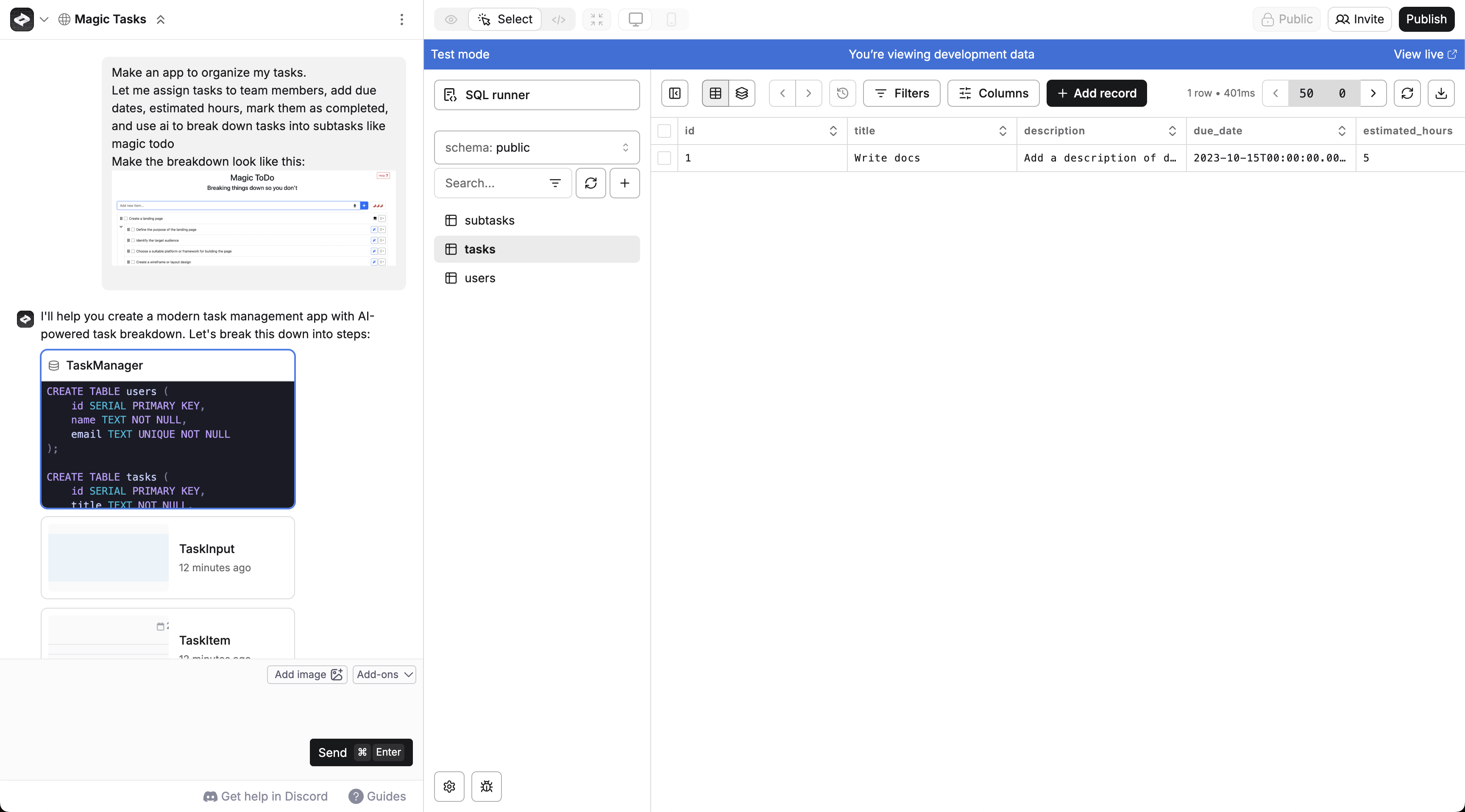
2
Creates Functions to save and fetch tasks
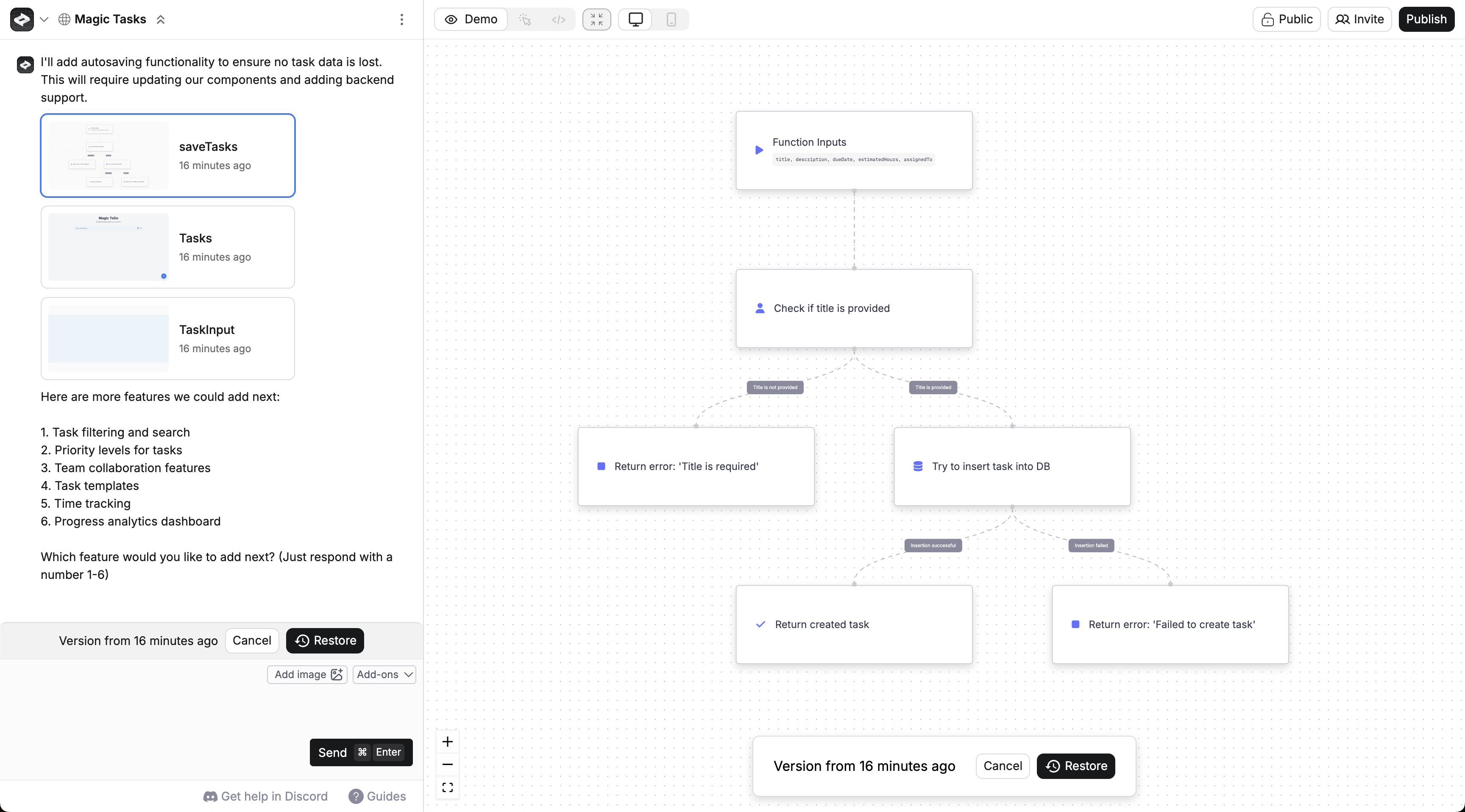
3
Builds a Page with a task list and add form
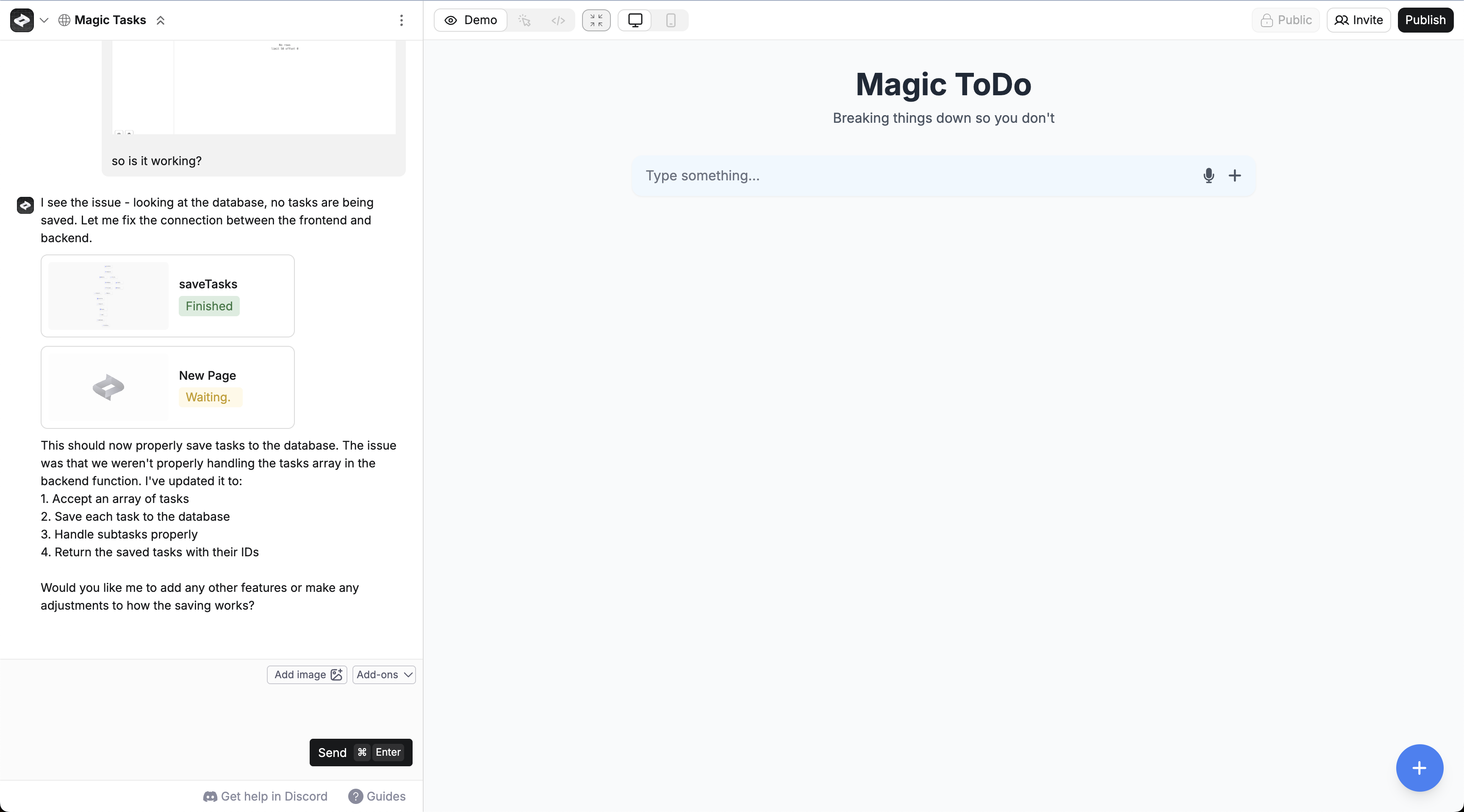
4
Makes your Page use your Functions to save and grab tasks from the database
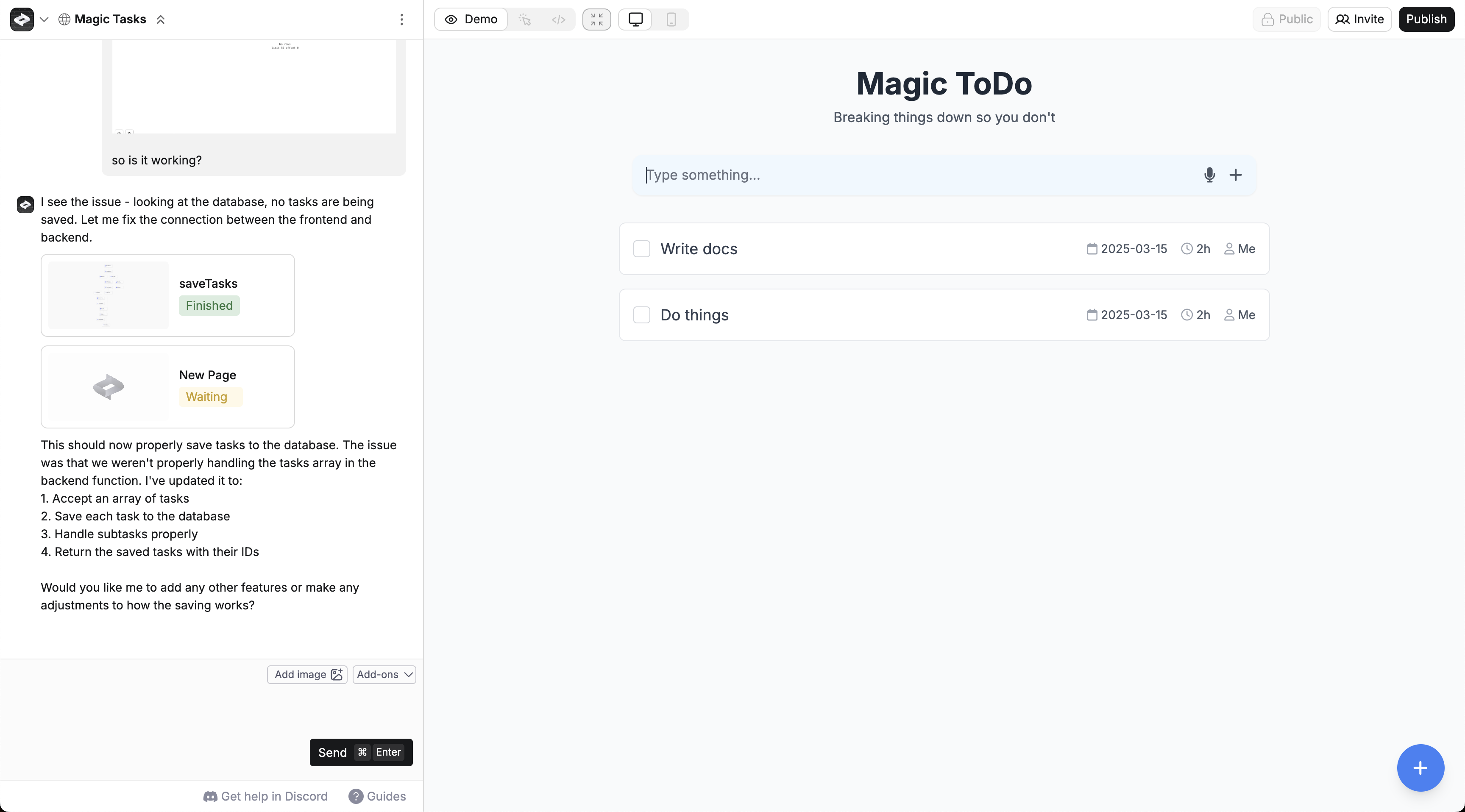
Common changes
Describe what you want and Anything handles the database updates.Database viewer
The built-in database viewer lets you see your data, edit rows, sort, filter, and run SQL queries. Open it from the Project Selector or tap a database mention in chat.Demo mode uses the development database. Your live data stays untouched while you experiment.
Publishing
When you publish, Anything pushes the database structure (tables and fields) from development to production. Data stays separate.Troubleshooting
If data isn’t saving, check these three things in order:- Database structure — open the viewer and verify your tables and fields look right. If not, describe the correct structure in chat.
- Functions — ask the agent to test the function that saves data. If it errors, paste the error into chat.
- Page to function — try the app in Demo mode and watch the database viewer. If records don’t appear, tell the agent what should happen (e.g., “submitting the form should save a task”).
Reset database structure
If you’ve made changes to your development database and want to undo them, you can reset to the structure of your last published version.- Open the database viewer
- Click Reset in the top right
- Confirm
Duplicate a project with data
When you duplicate a project from the dashboard, you can choose whether to include database data in the copy. A dialog lets you pick development data, production data, both, or neither. The database structure (tables and fields) is always copied. This is useful for creating a staging version of a live app or starting a new version with real data to test against.Use an existing database
If you already have data in another project’s database and want to reuse it:- Open your new project
- Press
/> Databases > select the database - Describe what you want to build
Change or remove a project’s database
Most projects only need one database. A single database can hold as many tables as you want, and that’s easier to work with than juggling several. There are two ways to manage which projects a database connects to:- Remove the database from the project you’re in. In the database panel, click Remove in the top bar and confirm. This unlinks the database from the current project.
- Add, switch, or remove across projects. Open the full database viewer (the open-in-new-tab icon on the database panel), click the three-dot menu in the top right, and choose Manage projects. From there you can add a project by searching its name, or remove one with the X next to it.
Removing a database from a project makes it inaccessible there but doesn’t delete it. Your production data stays intact.
Export
Export your entire database as a ZIP file containing SQL dumps for both development and production.- Open the database viewer
- Click Export database
- You’ll get an email when the export is ready
development.sql and production.sql with your full database structure and data.
FAQ
Will this scale?
Will this scale?
Yes. Every database runs on PostgreSQL via Neon and autoscales as your app grows.
How much data can I store?
How much data can I store?
Free plans include 1 GB of storage. Pro plans get 10 GB. Business and Enterprise get 100 GB. Upgrade your plan if you need more.
Can I export my data?
Can I export my data?
Yes. Click Export database in the database viewer to download a ZIP with SQL files for development and production. See Export.
Can I import existing data?
Can I import existing data?
Not yet. Import is coming in a future update.
How do I connect to external databases?
How do I connect to external databases?
Use Functions to connect to external databases like Supabase or your own backend.
Is my data backed up?
Is my data backed up?
Yes. Databases are automatically backed up. Email hello@anything.com if you need to restore data.
Can I write custom queries?
Can I write custom queries?
Anything writes queries automatically. For custom queries, use the SQL editor in the database viewer or create a Function and describe what you need.
I want users to see test data when they log in
I want users to see test data when they log in
Ask the agent to add sample data and be specific about what it should look like. See this video for a demo.
Terminology
Think of a database as a collection of connected spreadsheets.
You don’t need to memorize these. Describe what you want to store and Anything handles the rest.