
Getting started
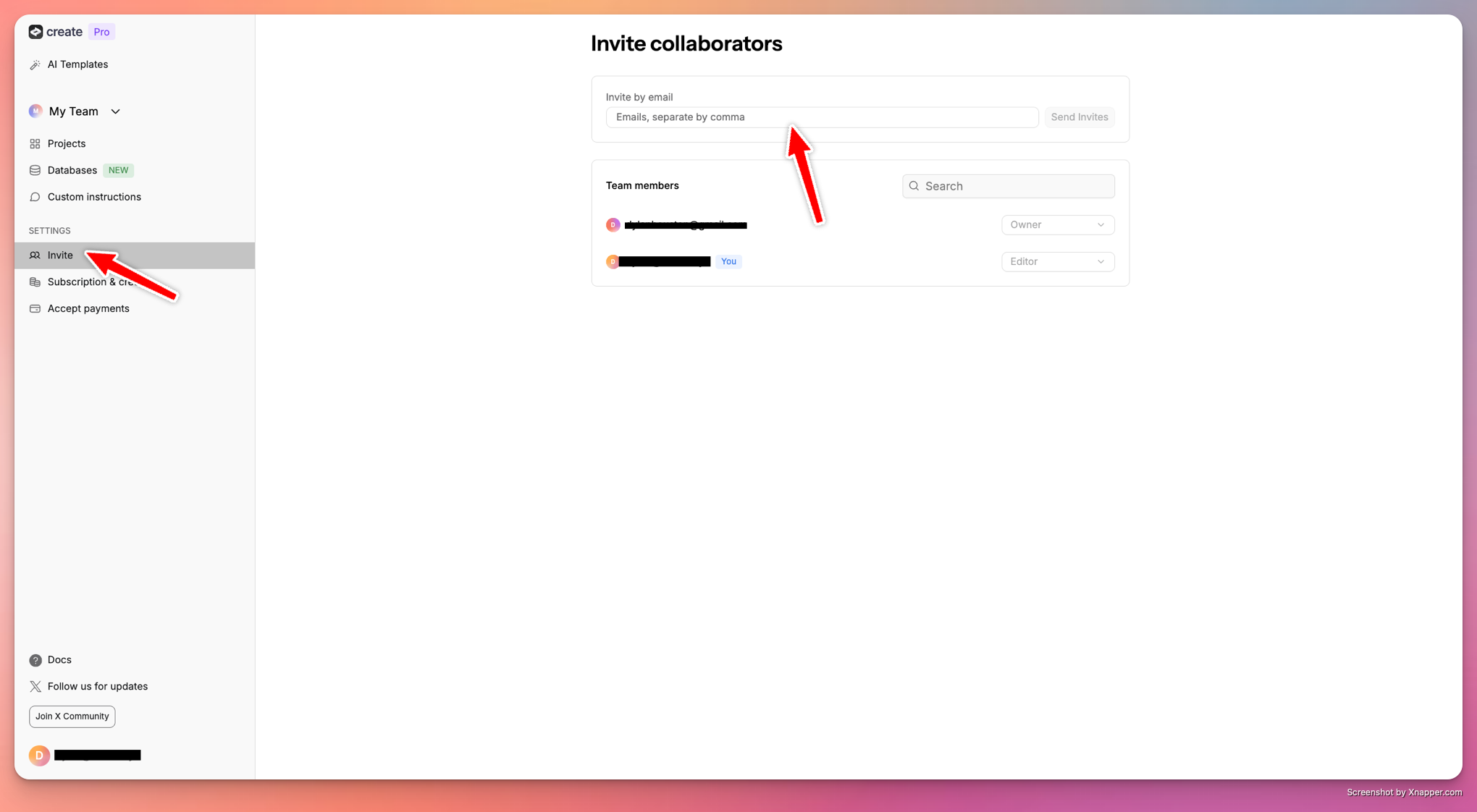
Invite teammates in two steps:- Click the ‘Invite’ button in a project or from the dashboard
- Enter their email addresses to send invitations
Real-time collaboration
When teammates join your project:- See their cursor and changes in real time
- Their icon appears in the top right corner
- Work together simultaneously on any element
Managing access
- Teammates can access all projects in the workspace
- Switch between different teams from the dashboard side panel
- Teammates need to accept their email invitation to join
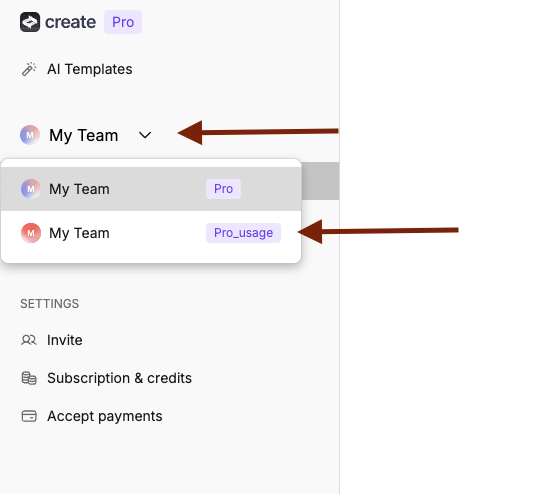
Toggle between team accounts using the My Team dropdown
How to toggle into a shared account
To switch between different team accounts or shared workspaces:- Navigate to the dashboard - Go to your main Anything dashboard
- Find the “My Team” dropdown - Look for the “My Team” section in the left sidebar
- Click the dropdown arrow - Click the chevron (▼) next to “My Team” to open the menu
- Select your desired team - Choose from the available team options in the dropdown