
Overview
Create Account
Sign up for a RapidAPI account
Get API Key
Subscribe to Hashtag API
Copy into Anything
Add your API key to Anything’s secrets
Account Creation
1
Visit RapidAPI Website
Go to rapidapi.com and click “Sign Up”
2
Subscribe to Hashtag API Pro
- Go to https://rapidapi.com/mukeshsolanki1/api/hashtag5/pricing
- Select a subscription plan
- Complete the subscription process
Generate API Key
1
Access Your Dashboard
- Log in to your RapidAPI account
- Navigate to the Hashtag API section
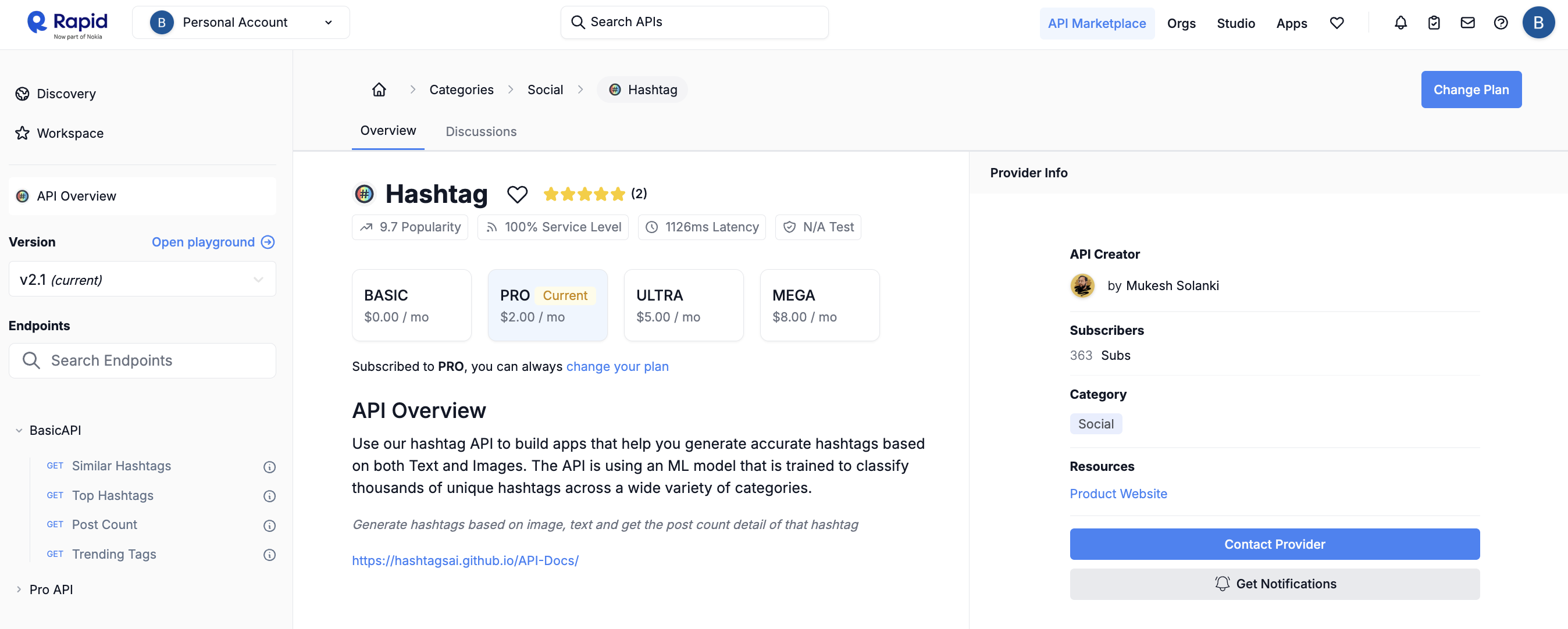
2
Find your API Key
- Select any endpoints in the left column
- Copy the API Key
- Store it securely for use in your applications
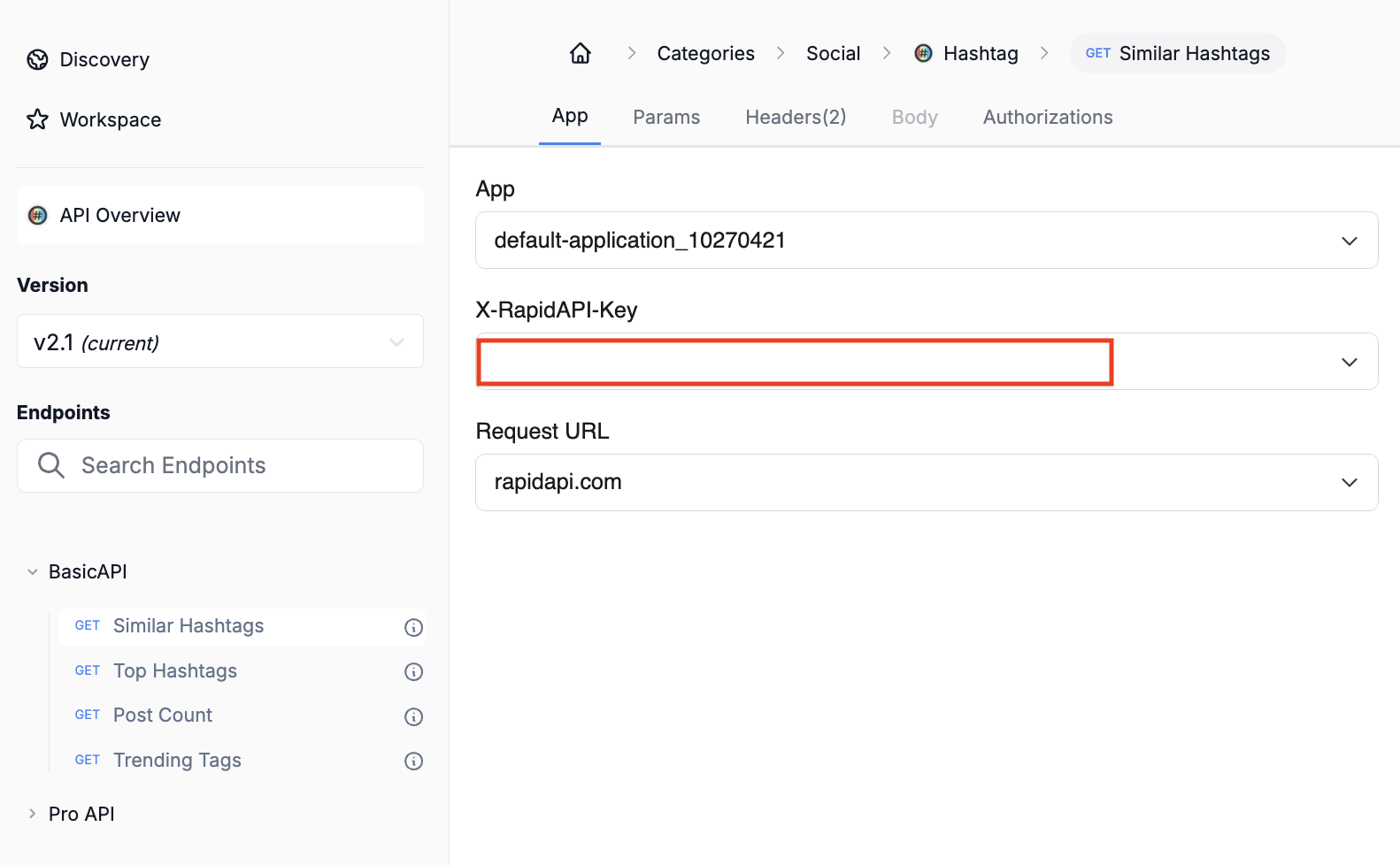
Add to Anything project
1
Add the integration
- In your Anything project, type
/in the chat - Select “Hashtag API” from the menu
2
Add your API key
- Paste your RapidAPI key into the “RAPID_API_KEY” field
3
Use it
You can now use prompts with the integration to access hashtag data.Some examples:
Find trending hashtags using /HashtagAPIAnalyze hashtag performance with /HashtagAPIBuild a social media analytics tool using /HashtagAPI